
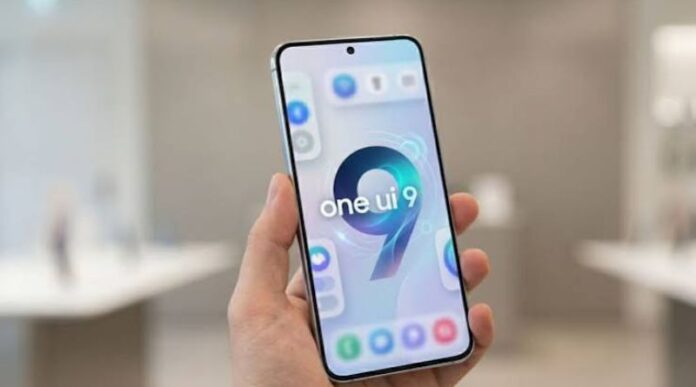

Samsung has started rolling out its latest mobile software update, One UI 9, which is based on Android 17. The new update brings several improvements to Galaxy smartphones, including better artificial intelligence (AI) features, improved privacy tools, a more flexible Quick Panel, and easier ways to manage phone settings.
For Samsung users in Pakistan, this update is important because it can improve the overall phone experience without requiring them to buy a new device. However, the availability of the update depends on the phone model, region, and mobile network.
Samsung has started providing One UI 9 to selected Galaxy S, Galaxy Z, and Galaxy A series phones. The company is gradually expanding the rollout to more devices. According to Samsung’s official information, the update includes new tools for daily tasks, video editing, document scanning, device care, and security.
Let’s look at the latest Samsung mobile update, its main features, compatible phones, and the steps users can follow to install it.
Samsung One UI 9 Update: What’s New?
One UI 9 is Samsung’s latest software interface for compatible Galaxy devices. It is based on Android 17 and focuses on making smartphones easier to use.
The update brings changes to the phone’s interface, AI tools, security settings, and daily features. Some of these improvements are designed for people who use their phones for work, while others can help users who enjoy taking photos, recording videos, and sharing content online.
Samsung is also improving the way users control their devices. Instead of opening different apps and menus for every task, some supported features can provide useful suggestions and make common activities easier.
However, not every feature will be available on every Galaxy phone. Some tools require a Samsung account, an internet connection, or a supported language.
1. Improved Galaxy AI Features
Artificial intelligence is becoming an important part of Samsung’s smartphone experience. With One UI 9, the company is adding more useful AI features to compatible devices.
These tools can help users with everyday activities, including managing information, creating images, translating conversations, and working with documents.
One of the important additions is Now Nudge. This feature can provide suggestions based on the activity taking place on the phone. For example, when someone shares a location or discusses plans in a supported messaging app, the phone may offer shortcuts to save the location or access related information.
The aim is to reduce the number of steps needed to complete everyday tasks.
Samsung has also improved Creative Studio, which can suggest ideas for creating images and greetings for special occasions. These tools may be helpful for people who want to make attractive content for social media.
AI features depend on the phone model, region, language, and software version, so users should check which tools are available on their devices.
2. New Video Recording Feature
Samsung is introducing a feature called My FanCam in One UI 9. It is designed to make video recording and editing easier.
The feature can follow a selected person in a recorded video and keep that person near the centre of the frame. This can be useful when recording a school performance, a family event, a birthday party, or a sports activity.
For example, if several people are moving around during a recording, the feature can help keep the selected person in focus. This may reduce the need to edit the video manually.
The feature could be useful for content creators who regularly upload videos to TikTok, YouTube Shorts, Instagram, and Facebook.
However, My FanCam is not available on every Samsung phone. Its results can also depend on the video and whether the selected person can be tracked properly.
3. More Customisation Options
Another important part of the Samsung update is the improved Quick Panel.
The Quick Panel allows users to control common settings, such as Wi-Fi, Bluetooth, screen brightness, sound, and other phone functions.
With One UI 9, compatible devices offer more options for changing the layout of this panel. Users can rearrange controls and adjust the size of certain elements, including brightness and volume sliders.
The media player can also be customised, while some sound controls can be separated for easier access.
These changes may seem small, but they can make daily phone use more convenient. Users can arrange important controls according to their needs instead of using the default layout.
For people who frequently change brightness or volume, the updated panel can provide a more comfortable experience.
4. Better Privacy and Security
Phone security is important because smartphones contain personal photos, messages, banking apps, contact details, and other private information.
Samsung’s One UI 9 update adds tools designed to help users understand possible security and privacy risks.
Privacy Alerts can help identify certain activities that may create privacy concerns, including unnecessary attempts to access permissions in the background. The feature uses on-device AI on supported devices.
Samsung is also adding Security Brief information to help users stay informed about important security matters. This can include warnings related to harmful apps, apps installed from unknown sources, and unnecessary permissions.
These features are designed to help users make better decisions about their phone’s security.
However, no security feature can guarantee complete protection. Users should continue to install apps from trusted sources, review app permissions, and avoid opening suspicious links received through messages.
5. Improved Document Scanning
Samsung has also improved document scanning in One UI 9.
Many people use their smartphones to scan identity documents, receipts, notes, forms, and other papers. The updated scanning tools are designed to handle some difficult documents with less manual adjustment.
For example, scanning a curved book page or a paper with folded corners can sometimes produce an unclear result. The updated Document Scan feature aims to make such scans cleaner and easier to use.
Samsung has also improved certain editing tools, including the Finger Eraser, on supported devices.
These improvements can be helpful for students, teachers, office workers, and business owners who regularly need digital copies of printed documents.
The exact scanning features may vary depending on the Galaxy model.
6. Better Voice Recorder Experience
The Voice Recorder app is also receiving improvements.
Users often record meetings, lectures, interviews, and personal notes on their smartphones. Finding important information in a long recording can take time.
Samsung’s updated Voice Recorder can present summaries in a clearer format, using elements such as headings and tables where supported.
This can make information easier to review without going through the entire recording again.
For students, the feature may help with reviewing recorded lessons. Office workers may also find it useful when checking meeting notes.
AI-powered recording and summary features may require supported hardware, languages, and account settings.
7. Translation Improvements
One UI 9 brings improvements to Samsung’s Interpreter feature.
This tool is designed to help people understand conversations in different languages. The update introduces a Thread View that makes it easier to follow earlier parts of a translated conversation.
Samsung has also improved the speed of translation in Conversation Mode.
These changes may be helpful for travellers, students, and people who communicate with others who speak a different language.
Some language packs may need to be downloaded separately. Availability can vary by country, phone model, and language.
Samsung Phones Receiving the One UI 9 Update
Samsung is rolling out One UI 9 in stages. The following Galaxy models have been included in the rollout reported by Samsung and recent device-update listings.
Galaxy S Series
- Samsung Galaxy S26
- Samsung Galaxy S26+
- Samsung Galaxy S26 Ultra
- Samsung Galaxy S25
- Samsung Galaxy S25+
- Samsung Galaxy S25 Ultra
- Samsung Galaxy S25 Edge
- Samsung Galaxy S25 FE
- Samsung Galaxy S24
- Samsung Galaxy S24+
- Samsung Galaxy S24 Ultra
- Samsung Galaxy S24 FE
- Samsung Galaxy S23
- Samsung Galaxy S23+
- Samsung Galaxy S23 Ultra
Galaxy Z Series
- Samsung Galaxy Z Fold7
- Samsung Galaxy Z Flip7
- Samsung Galaxy Z Flip7 FE
- Samsung Galaxy Z Fold6
- Samsung Galaxy Z Flip6
- Samsung Galaxy Z Fold5
- Samsung Galaxy Z Flip5
Galaxy A Series
- Samsung Galaxy A57
- Samsung Galaxy A56
- Samsung Galaxy A37
- Samsung Galaxy A36
- Samsung Galaxy A27
This list is based on reported rollout information and should not be treated as a guarantee that every phone has received the update in Pakistan. Samsung may release software at different times for different regions and device versions.
Some additional devices may become eligible as the rollout continues. Users should check Samsung’s official update information for their exact model.
When Will Samsung One UI 9 Arrive in Pakistan?
Samsung generally releases major software updates in stages. A new update may become available in one country before reaching another.
The same situation can happen in Pakistan. Even if another user with the same phone has received One UI 9, your device may not show the update immediately.
The timing can depend on the exact model number, region, mobile operator, and software version installed on the phone.
Users should avoid assuming that a phone is unsupported simply because the update has not appeared yet. They should first check the software update section in Settings.
For the latest official information, visit Samsung’s software update support page:
https://www.samsung.com/in/support/mobile-devices/one-ui-software-update/
The page provides information about supported models and the ongoing rollout. Users should also check Samsung’s local support resources for Pakistan-specific availability.
How to Download the Latest Samsung Mobile Update
Samsung users can check for available updates directly from their phones.
Follow these steps:
- Open the Settings app on your Samsung Galaxy phone.
- Scroll down and select Software update.
- Tap Download and install.
- Wait while the phone checks for available updates.
- If an update appears, review the information and tap the download option.
- After the download finishes, follow the instructions to install it.
Before starting the installation, connect your phone to a reliable Wi-Fi network and make sure the battery has enough charge.
Major updates can require several gigabytes of storage and may take time to download and install. It is also a good idea to back up important photos, contacts, and files before installing a major software upgrade.
If the phone says that the software is up to date, check again later. The update may not have reached your particular device or region yet.
Important Note About Update Problems
Although One UI 9 brings new features, some users have reported problems after installing it.
A recent report described a setup issue affecting some Galaxy S26 Ultra users after updating. The problem was linked to an unstable system WebView on certain networks, and Samsung recommended updating the browser and trying a Wi-Fi connection.
This report does not mean every Galaxy phone will experience the same issue. However, it is a reminder that major software updates can sometimes have bugs.
If your phone becomes stuck during setup, avoid repeatedly performing risky troubleshooting steps. Try the official support instructions first, and contact Samsung support if the problem continues.
Users who depend on their phones for important work may prefer to wait briefly and check for known issues before installing a major update.
Should You Install the New Samsung Update?
For most users with compatible devices, installing official software updates is important because updates can improve security, fix known problems, and add new features.
One UI 9 offers several useful improvements, particularly for people who use AI tools, record videos, scan documents, and manage many tasks on their phones.
However, users should check their device’s compatibility and ensure they have enough storage space before installing the update.
If you have an older Samsung phone, the latest software version may not be available for your device. Samsung’s update policy depends on the model and its support period.
Never install unofficial firmware simply because an update has not arrived. Unofficial software can cause problems if it is not suitable for your device.
Conclusion
Samsung’s latest One UI 9 update brings new features and improvements to supported Galaxy smartphones. Based on Android 17, it focuses on AI tools, video recording, customisation, translation, document scanning, and privacy.
The update is being rolled out to selected Galaxy S, Galaxy Z, and Galaxy A devices, with availability depending on the phone model and region.
For Samsung users in Pakistan, the easiest way to check is to open Settings, select Software update, and tap Download and install.
Before upgrading, make sure your phone has enough battery and storage, back up important data, and review any known issues. These simple steps can help you enjoy the latest features while reducing the risk of problems.
Frequently Asked Questions (FAQs)
1. What is the latest Samsung mobile update in 2026?
Samsung’s latest major mobile software update is One UI 9, based on Android 17. It brings new AI features, privacy tools, interface changes, and improvements to supported Galaxy phones.
2. Which Samsung phones are receiving One UI 9?
Selected Galaxy S26, S25, S24, and S23 series phones, along with certain Galaxy Z Fold, Galaxy Z Flip, and Galaxy A models, have been included in the rollout. Eligibility depends on the exact model and region.
3. Is Samsung One UI 9 available in Pakistan?
Availability can vary by model and region. Pakistani users should check Settings > Software update > Download and install to see whether the update is available for their phones.
4. How can I update my Samsung phone?
Open Settings, select Software update, and tap Download and install. If an update is available, follow the on-screen instructions.
5. Does the Samsung update improve battery life?
Software updates can improve power management in some cases, but better battery life is not guaranteed. Battery performance depends on the phone, apps, settings, and usage habits.
6. Will One UI 9 make my Samsung phone faster?
The update includes system improvements, but the effect on speed can vary. Performance depends on the phone’s processor, memory, storage, and software condition.
7. Will every Samsung phone receive One UI 9?
No. The update is available only for eligible models. Older devices may have reached the end of their major software support period.
8. Is it safe to install Samsung software updates?
Official updates are generally recommended because they can include important security fixes. Before installing a major update, back up important data and check for known problems.
9. What should I do if the update does not appear?
Check your internet connection, restart your phone, and visit the Software update section again later. If the update remains unavailable, check Samsung’s official support information for your model.
10. Do Samsung updates delete photos and contacts?
A normal official software update is not intended to erase personal data. However, unexpected problems can occur, so backing up important photos, contacts, and files before installation is strongly recommended.
Read Also: check