
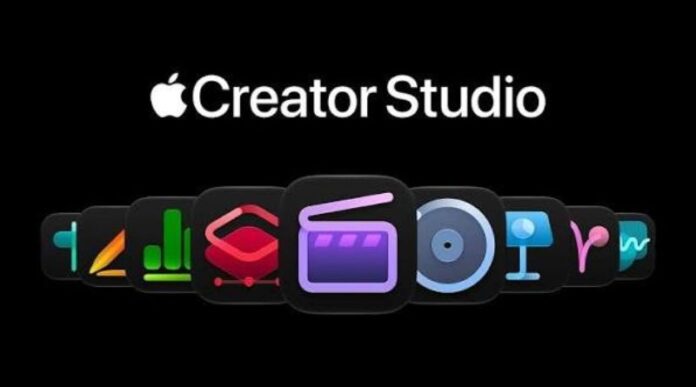

Apple is reportedly expanding the artificial intelligence features available through its creative software tools, with new upgrades aimed at helping users complete their work more quickly and easily. The latest developments surrounding Apple Creator Studio point towards a stronger focus on AI assistants, smarter editing tools, and improved support for people who create videos, images, music, presentations, and other digital content.
Artificial intelligence is becoming an important part of modern creative software. Many companies are adding AI tools to help users save time, reduce repetitive tasks, and improve their final results. Apple is also working to make its software more useful for creative professionals, students, content creators, and everyday users.
The main goal of these upgrades is to make creative work less complicated. Instead of spending hours adjusting small details or moving between different tools, users may be able to rely on AI assistants for help with selected tasks. These assistants could make it easier to organise ideas, improve content, and manage different stages of a creative project.
However, the exact availability and scope of the reported upgrades should be confirmed through official Apple announcements. Until then, users should treat unconfirmed features, release dates, and pricing details with care.
What Is Apple Creator Studio?
Apple Creator Studio refers to Apple’s creative software offering and the tools associated with producing digital content. Apple’s creative software ecosystem includes applications for video editing, music production, image editing, and productivity tasks.
Popular Apple applications include Final Cut Pro for video editing, Logic Pro for music creation, and Pixelmator Pro for image editing. Apple’s productivity applications, including Keynote, Pages, and Numbers, also help users prepare presentations, documents, and spreadsheets.
These applications serve different purposes, but they share a common aim: helping people turn ideas into finished work.
For example, a YouTube creator may use video-editing software to prepare a new video, while a musician may need tools to record and mix a song. A graphic designer may edit pictures, and a student may prepare a presentation for a class project.
AI assistants could make these activities easier by helping users handle selected tasks without needing to understand every advanced setting.
It is important to distinguish between Apple’s individual creative applications and any particular subscription or bundle. The exact features available to a user can depend on the application, device, software version, and subscription terms.
AI Assistants Could Make Creative Work Easier
One of the biggest benefits of artificial intelligence is its ability to help users complete routine tasks. Creative projects often involve many small steps that take time but do not always require a person’s full attention.
For example, video editing can involve sorting footage, finding useful scenes, preparing captions, adjusting sound, and making repeated changes. Music production can require organising recordings, checking audio levels, and making adjustments to different parts of a track.
An AI assistant can potentially help with some of these activities, depending on the tools available in the software.
Instead of manually completing every step, users may be able to describe what they want and receive suggestions or automated assistance. This could make advanced creative tools more approachable for beginners while helping experienced users work more efficiently.
AI support does not mean that every task will become automatic. Users may still need to review results, correct mistakes, and make important creative decisions. The purpose is to reduce unnecessary work rather than remove human involvement.
For Apple, improvements in this area could make its creative software more attractive to people who want powerful tools without an overly complicated workflow.
Smarter Tools for Video Editing
Video editing is one area where AI assistants can provide significant benefits. Creators often work with large amounts of footage and need to select the best scenes before producing a final video.
AI-powered features can help with tasks such as identifying spoken words, preparing subtitles, searching through footage, and organising media. Some editing tools can also assist with sound cleanup, colour adjustments, and other routine changes.
If Apple expands AI assistance in its video-editing software, creators could benefit from a smoother editing process.
For example, a content creator preparing a travel video might need to find particular moments across several hours of recordings. Search and organisation tools could help locate relevant clips more quickly, where supported.
Similarly, someone producing an educational video could benefit from easier caption preparation and improved handling of spoken content.
These features could be useful for YouTubers, social media creators, journalists, small businesses, and video production teams.
Still, the availability of any particular AI function should not be assumed without confirmation. Apple would need to explain which applications support the features, which devices can run them, and whether they require an internet connection or additional processing power.
New AI Assistant Arrives in Logic Pro
Apple’s latest Creator Studio announcement introduces a new intelligent assistant in Logic Pro for Mac. This feature is designed to help music creators understand the software and move through different production tasks more easily.
Logic Pro is used by musicians, producers, and audio professionals to record, arrange, edit, and mix music. However, beginners may find its many tools and settings difficult to understand.
The new assistant aims to make the process easier. It can help users start a new song, set up a vocal track, explore production steps, and make changes to an existing project through simple instructions.
For example, a musician who wants to begin working on a new song may use the assistant to get help with the initial setup. Someone who already has a project may ask for guidance on improving a particular part of the production process.
The assistant combines Apple’s own AI models with models from OpenAI. Apple says the feature will be available in beta, which means users should expect further improvements as development continues.
This update could be especially useful for people who are learning music production. Instead of searching through menus or spending time looking for instructions, they can receive help while working inside Logic Pro.
However, the assistant is not a replacement for musical skill or experience. Users will still need to make decisions about melodies, instruments, arrangements, and the overall sound of their music.
Keynote, Pages, and Numbers Get AI Assistants
Another major part of the update is the introduction of intelligent assistants in Keynote, Pages, and Numbers.
These applications are widely used for presentations, documents, and spreadsheets. The new assistants are designed to understand the content of the file a user is working on and provide help without requiring them to leave the application.
This could make everyday work easier for students, teachers, office employees, business owners, and professionals.
Keynote Makes Presentation Creation Easier
Keynote is Apple’s presentation application. People use it to create slides for meetings, school projects, business plans, and public presentations.
Creating a good presentation requires more than adding text and pictures. Users also need to organise information, choose suitable designs, arrange objects, and make sure each slide is easy to understand.
The new AI assistant is designed to help users design, animate, and improve slides.
For example, a student preparing a presentation about technology could ask for help refining the layout or making the slides easier to follow. A business employee could use the assistant to improve the visual arrangement of information.
The assistant’s ability to understand the presentation’s context may also help users make changes that fit the content of their existing project.
This is particularly helpful for people who do not have advanced design skills. Rather than building every slide from the beginning, they may be able to use AI guidance to improve their work.
Apple is also expanding the tools available for presentations, giving subscribers access to additional templates and media resources.
Pages Helps Users Improve Their Writing
Pages is Apple’s word-processing application. It is used to prepare letters, reports, assignments, articles, and other written documents.
Writing can take considerable time, especially when users need to organise ideas, improve sentences, or change the structure of a document.
The new assistant in Pages is designed to help draft, restructure, and refine written content. It can use the context of the document to provide more relevant assistance.
For example, someone preparing a business report may need to make a paragraph clearer or organise information into a better structure. A student may want help improving the flow of an assignment.
An in-app assistant could make these tasks more convenient because users would not need to move between different applications to seek help.
Writers should still review the generated content carefully. AI tools can make mistakes, misunderstand instructions, or produce wording that does not match the writer’s intended meaning.
For professional documents, users should also check facts, spelling, grammar, and any information that needs to be accurate.
Numbers Makes Working With Data Simpler
Numbers is Apple’s spreadsheet application. It helps users manage information, calculate figures, prepare budgets, and create charts.
Spreadsheets can become difficult to manage when they contain large amounts of data or require complex formulas.
The new assistant is designed to help users calculate figures, organise information, and create visual reports. It can also suggest suitable chart types and provide a preview with a single tap.
Another feature allows users to build custom tables with help from general knowledge.
These tools could benefit small businesses, students, office workers, and people who manage their personal budgets.
For example, a shop owner who tracks monthly sales could use AI assistance to organise the figures and create a chart showing changes over time. A student working on a research project could find it easier to present collected data.
However, users should check important calculations and figures before relying on them. AI assistance can save time, but it does not remove the need to verify results.
External AI Tools Can Work With Apple Apps
Apple is also adding support for the Model Context Protocol, commonly known as MCP, to Keynote, Pages, and Numbers.
This technology provides a standard way for supported external AI tools and agents to connect with applications and work with their content.
With the new support, compatible AI agents can read information, make edits, and carry out certain automated actions in these Apple applications.
This could allow users to connect their creative work with broader AI-powered workflows.
For example, an AI agent may be able to help organise information in a document or perform supported actions in a spreadsheet. The exact tasks will depend on the connected tool, the permissions available, and the features supported by the application.
The benefit is that users may be able to automate parts of their work instead of performing every action manually.
MCP support could also be useful for developers who want to build tools that work with Apple’s productivity applications.
However, compatibility and access requirements are important. Not every AI tool will automatically work with every application, and users should understand what access they are giving an external service.
Apple’s announcement identifies MCP support as part of its new workflow features, with Mac-specific requirements applying to this functionality.
Pixelmator Pro Gets a New Generate Fill Feature
Apple is also improving image editing through Pixelmator Pro, which is part of Creator Studio.
The new Generate Fill feature allows users to select an area of an image and describe the change they want using everyday language.
The software can then help transform the selected area according to the instruction.
This approach could make image editing easier for people who do not have advanced editing skills.
For example, a designer may want to change part of a background, adjust an image’s appearance, or add a visual element. Instead of making every change manually, the user can describe the intended result.
The feature can be useful for social media graphics, promotional images, presentations, and other creative projects.
It also gives experienced designers another way to explore ideas quickly before making final adjustments.
Still, the quality of generated results may vary depending on the image, the selected area, and the instructions provided. Users may need to try different descriptions or make further edits to achieve the desired result.
Final Cut Pro Receives More Creative Tools
Final Cut Pro is another important part of Apple’s creative software collection. It is used by video editors, filmmakers, and content creators to produce professional videos.
The latest update brings built-in MotionVFX content to Final Cut Pro for Mac. This includes visual effects, transitions, templates, titles, plug-ins, and motion graphics tools.
These resources can help editors improve the appearance of their videos without creating every visual element from scratch.
MotionVFX content can be useful for YouTube videos, promotional campaigns, interviews, documentaries, and other productions that need polished visuals.
Apple is also expanding the Content Hub with video assets that users can access within Final Cut Pro. This gives creators another way to find material for their projects without constantly switching between applications.
The update also improves connections between Final Cut Pro and Pixelmator Pro, allowing users to move a video keyframe into Pixelmator Pro for further editing.
Together, these changes are intended to make the creative process more connected. Users can work with footage, visual effects, images, and other assets as part of a more organised workflow.
For creators who regularly publish content, these additions may reduce the time needed to prepare a finished video.
Logic Pro Improves Music Production Tools
Alongside its new assistant, Logic Pro receives other improvements aimed at making music production easier.
One important change is an enhanced Stem Splitter. This tool can separate parts of a mixed recording, and the updated version can isolate, replace, or rebalance drum parts without requiring the original separate recordings.
This could be helpful for producers who want to change the drums in a song but do not have access to the original recording tracks.
Logic Pro also introduces a redesigned sound browser on Mac. The browser brings together different sounds, instruments, loops, and effects to make them easier to find.
Its music-understanding technology can analyse, classify, and tag sounds, helping users search their collections more efficiently.
These changes could help musicians spend less time searching for suitable sounds and more time developing their music.
Apple is also introducing a new Producer Pack from Grammy-winning producer Sergio George, featuring sounds and loops associated with Latin jazz and salsa music.
The new tools offer additional creative choices for both beginners and experienced producers.
When Will the New Apple Creator Studio Features Arrive?
Apple announced the latest Creator Studio upgrades on October 27, 2026. According to the company’s announcement, the updates are scheduled to arrive on the App Store in November 2026 as a free update for existing subscribers.
New subscribers can access Apple Creator Studio for $12.99 per month or $129 per year in the United States, with a one-month free trial. Students and educators can access discounted plans priced at $2.99 per month or $29.99 per year.
The subscription brings together creative applications and additional features for supported Apple devices. Up to six family members can share the subscription through Apple’s Family Sharing arrangements.
Some applications also remain available as separate one-time purchases on the Mac App Store. Users who already own supported standalone versions can continue using them.
Availability of individual AI features may depend on the device, operating system, language, and application version. Apple’s newly announced assistants are beta features, and their initial language support is limited.
Readers in Pakistan should check the local App Store for the latest availability and subscription prices in their region. US prices should not be treated as confirmed Pakistani prices because taxes, exchange rates, and local pricing can differ.
What These Upgrades Mean for Apple Users
The latest Creator Studio update shows Apple’s effort to bring AI assistance into more parts of creative work.
Instead of limiting AI to a separate chatbot or standalone application, Apple is adding assistance directly to tools people already use for writing, music production, presentations, spreadsheets, image editing, and video creation.
This approach could help users get more work done without repeatedly switching between applications.
For students, the new tools may simplify presentations and document preparation. For content creators, they could help with video editing and visual design. Musicians may benefit from easier access to production guidance and sound-editing tools.
Businesses may also find value in faster document preparation, data organisation, and workflow automation.
At the same time, the usefulness of these features will depend on how well they perform in real projects. Users should review AI-generated content, check calculations, and make sure creative changes meet their requirements.
Overall, Apple Creator Studio’s new AI assistant upgrades are an important step towards more connected creative software. By combining in-app assistance with new editing tools and automation features, Apple aims to make complex tasks easier while giving users more ways to express their ideas.
The November rollout will give users a clearer picture of how these improvements work in practice and how much they can help with everyday creative tasks.
Frequently Asked Questions
1. What is Apple Creator Studio?
Apple Creator Studio is Apple’s subscription collection of creative applications and additional features for video editing, music production, image editing, and productivity.
2. What are the major new AI upgrades?
The October 2026 announcement includes intelligent assistants for Logic Pro, Keynote, Pages, and Numbers, along with improvements to image editing, video production, and workflow automation.
3. When will the new updates be released?
Apple has announced a November 2026 rollout through the App Store. Existing subscribers are expected to receive the updates without an additional subscription charge.
4. How much does Apple Creator Studio cost?
The announced US price is $12.99 per month or $129 per year. Students and educators can access discounted plans. Pakistani pricing should be checked through the local App Store.
5. What can the new assistant do in Pages?
The assistant can help draft, restructure, and refine written content while using the context of the document.
6. How will AI improve Keynote?
The assistant is designed to help users design, animate, and refine presentation slides, making it easier to prepare professional-looking presentations.
7. What new features are coming to Numbers?
Numbers is gaining assistance for calculations, data organisation, chart suggestions, and creating custom tables.
8. Does Logic Pro have an AI assistant?
Yes. Apple has announced a new intelligent assistant in beta for Logic Pro on Mac to help with music production workflows and project setup.
9. Are the new AI features available on every Apple device?
Not necessarily. Some features require supported hardware, compatible operating systems, and specific application versions. Users should check Apple’s requirements before updating.
10. Will Apple Creator Studio replace professional creative skills?
No. The tools are designed to assist users and reduce repetitive work. Creative judgement, fact-checking, and final decisions remain important for producing high-quality results.
Read Also: check