
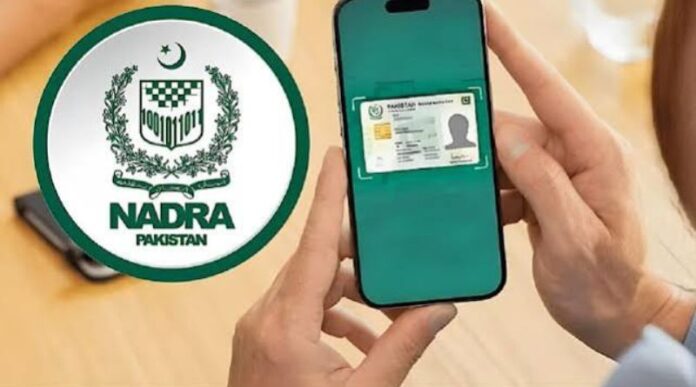

Getting an appointment at the National Database and Registration Authority (NADRA) has become more convenient for people in Pakistan. Citizens can now use the Pak ID mobile app to select a NADRA registration centre and choose a suitable time slot without having to visit an office just to arrange an appointment.
This digital service aims to make the process easier for people who need to apply for a CNIC, renew an identity card, update their personal information, or access other NADRA services. Instead of spending extra time travelling to a registration centre to ask about an appointment, users can check the available options through their mobile phones.
The facility is especially helpful for people who have busy work schedules, live far from NADRA offices, or want to plan their visits in advance. It can also help families organise their visits more easily and reduce the inconvenience of unnecessary trips.
NADRA Introduces a More Convenient Appointment Process
NADRA provides important identity and registration services to millions of people across Pakistan. These services are necessary for obtaining a Computerised National Identity Card (CNIC), updating identity records, registering family information, and completing other official requirements.
In the past, many citizens had to visit a NADRA office to ask about available services, waiting times, or appointment arrangements. Depending on the location and number of visitors, this could take extra time and effort.
The Pak ID app offers a more convenient digital option by allowing users to manage certain identity-related tasks through their smartphones. With the appointment facility, citizens can select a suitable registration centre and time slot before leaving home.
This approach can make it easier to plan a visit, particularly for people who cannot afford to spend several hours waiting at a public office.
The main purpose of the service is to improve convenience and make NADRA’s services more accessible to the public.
How to Book a NADRA Appointment Through the Pak ID App
Citizens who want to use this facility should start by checking the official Pak ID app on their smartphones. The exact options available may depend on the app version, the selected service, and the registration centre.
The general process is straightforward.
Step 1: Open the Pak ID App
First, open the official Pak ID mobile app on your smartphone. If you have not installed it, look for the official app through the Google Play Store or Apple App Store.
Before entering any personal information, make sure you have selected the genuine NADRA application. Avoid unofficial apps that ask for identity details or other sensitive information.
Step 2: Sign In or Create an Account
Open the app and sign in using your account details. If you are a new user, follow the registration instructions shown on the screen.
You may need to provide the information requested by the app to create or verify your account. Keep your mobile number and other required details available so that you can complete the process without difficulty.
Step 3: Find the Appointment Option
After signing in, look for the appointment booking or relevant service option in the app.
The menu names and available features may change when NADRA updates the application. If you cannot find the appointment facility, check the latest version of the app or consult NADRA’s official support channels.
Step 4: Select a NADRA Registration Centre
Choose the registration centre that is most convenient for you. Depending on the options displayed, you may be able to select a centre close to your home, workplace, or another suitable location.
Choosing the right centre is important because it can save travel time and make the visit easier to manage.
Before confirming your selection, check the centre’s location and make sure you can reach it at the selected time.
Step 5: Choose an Available Time Slot
Once you have selected a centre, check the available appointment times shown in the app.
Choose a slot that fits your daily schedule. For example, people who work during the day may prefer a time that does not conflict with their office hours, while parents may want to choose a slot that is convenient for the whole family.
Available slots can vary depending on the centre and demand. A preferred time may not always be available, so users should consider alternative timings if necessary.
Step 6: Review and Confirm Your Appointment
Before completing the booking, review the selected centre, date, time, and any other details displayed on the screen.
Make sure the information is correct before confirming the appointment. If the app provides a confirmation message or reference number, save it for future use.
It is also a good idea to keep a screenshot of the confirmation on your phone, provided it does not expose unnecessary sensitive information.
Once your appointment is arranged, check the instructions provided by NADRA to understand what documents you need to bring.
Which NADRA Services May Require a Visit?
The appointment facility can be useful for citizens who need to complete different identity-related tasks. However, the services available through the app and those that require a physical visit are not necessarily the same.
Some common reasons for visiting a NADRA registration centre include the following.
New CNIC Applications
People applying for their first Computerised National Identity Card may need to visit a registration centre to complete the required verification and registration steps.
The exact requirements depend on the applicant’s circumstances and the rules applicable to the service.
CNIC Renewal
Citizens whose identity cards are approaching their expiry dates may need to renew them. The Pak ID app supports certain online identity services, but users should check whether their particular renewal case requires an in-person visit.
Updating Personal Information
A person may need to update details in their NADRA record after a change in personal circumstances. Depending on the type of change, supporting documents or additional verification may be required.
Family Record Updates
Some citizens visit NADRA to correct or update information connected with their family records. Such requests may require documents and checks before the changes can be completed.
Other Registration Services
NADRA provides several other identity and registration services. The requirements differ from one service to another, so applicants should confirm the relevant procedure before booking a visit.
It is important to remember that booking an appointment does not automatically mean that an application has been approved. It simply helps users plan their visit, where the facility is available.
How This Facility Can Save Time
One of the biggest benefits of booking an appointment from home is better time management.
People often have to balance office work, business responsibilities, household duties, and other daily activities. Visiting a registration centre without knowing how long the process will take can make these responsibilities harder to manage.
An appointment can help citizens organise their day more effectively.
For example, a person who needs to renew an identity card may be able to select a suitable time before leaving home. This makes it easier to arrange transport, inform an employer, or manage other commitments.
The facility can also be useful for people who live in areas where the nearest NADRA office is far away. They can check the appointment options before making the journey, reducing the chance of travelling unnecessarily just to ask about available times.
However, an appointment should not be treated as a guarantee that there will be no waiting. Actual processing times can depend on the centre, the service requested, and the number of visitors.
Benefits for Families and Working People
The online appointment option may be particularly helpful for families who need to manage more than one identity-related task.
Parents often have to arrange transport, manage children’s schedules, and collect the necessary documents before visiting a government office. Planning an appointment in advance can make these arrangements easier.
Working people can also benefit from having more control over their schedules. Instead of making an unplanned visit, they can check the options available and select a time that better suits their routine.
Similarly, students, business owners, and people who travel from smaller towns may find it easier to prepare for a visit when they can check the available appointment options beforehand.
For elderly citizens and people who need assistance with travel, advance planning may also help family members arrange transport and support.
The overall benefit is greater convenience and a more organised way to approach identity-related services.
What Should You Do Before Visiting a NADRA Centre?
Booking an appointment is only one part of preparing for a successful visit. Citizens should also make sure they have the documents and information required for their specific service.
Before leaving home, consider the following points:
- Check your appointment details: Confirm the selected centre, date, and time.
- Prepare the required documents: Bring the original documents and any supporting papers required for your case.
- Keep your identity information ready: Make sure you have the relevant CNIC details or other information requested by NADRA.
- Save the confirmation: Keep any appointment reference or confirmation message available.
- Check the centre’s location: Plan your route and allow enough time for travel.
- Review official instructions: Check NADRA’s current guidance if you are unsure about the process.
These simple steps can help prevent delays caused by missing documents or incorrect appointment details.
Requirements may differ for first-time applicants, renewals, corrections, and family record changes. Therefore, it is better to confirm the rules for your particular service rather than assume that every application follows the same process.
Is the Pak ID App Safe to Use?
Citizens should use NADRA’s official digital services and take basic precautions when handling their identity information.
A CNIC contains important personal details, so users should be careful when installing apps or sharing documents online.
Download the Pak ID app only from an official app store listing that identifies NADRA as the provider. Keep the application updated and use a secure password where applicable.
Never share your account password, verification codes, or other sensitive information with unknown people. Be cautious of messages that claim to offer special appointments in exchange for payments through unofficial channels.
If you face a technical issue or have questions about your appointment, contact NADRA through its official website or verified support channels.
Using the official application and following its instructions can help citizens manage their information more safely.
What If You Cannot Find an Available Appointment?
There may be times when your preferred centre or time slot is unavailable. This can happen when many people are trying to book appointments or when a centre has limited capacity.
If this happens, check whether another nearby centre offers a suitable time. You can also look for a different slot that fits your schedule.
If the appointment option does not appear in your app, check for an available update and review the instructions provided by NADRA. Some services may follow different procedures, and not every task necessarily requires an appointment.
Citizens should avoid relying on unofficial websites or social media posts that promise guaranteed appointments. The safest approach is to follow the options and instructions shown by NADRA itself.
A Step Towards Better Digital Public Services
The introduction of online appointment arrangements through the Pak ID app reflects the growing role of digital services in Pakistan.
Government departments increasingly use mobile applications and online systems to help people access information and complete routine tasks without making unnecessary trips to physical offices.
For citizens, the main advantage is convenience. They can use their phones to check available options, plan their visits, and prepare the necessary documents before travelling.
For NADRA, a well-managed appointment system may help improve visitor planning and make service delivery more organised. Its actual impact, however, will depend on the availability of appointment slots, the facilities offered at individual centres, and how effectively the system is managed.
Digital services are particularly valuable when they save people time while remaining simple to use. Clear instructions, reliable booking information, and helpful customer support are important for making these services useful to people from different backgrounds.
The appointment facility is therefore a practical option for citizens who want to plan their NADRA visits more conveniently.
Frequently Asked Questions (FAQs)
1. Can I book a NADRA appointment from home?
The appointment facility described in this report allows citizens to select a registration centre and an available time slot through the Pak ID app, where the feature is offered.
2. How do I choose a NADRA centre?
Open the official Pak ID app, sign in, and look for the relevant appointment option. Follow the on-screen instructions to check and select an available registration centre.
3. Can I select my preferred appointment time?
You can choose from the available time slots displayed by the app. Your preferred time may not always be available, depending on the centre and demand.
4. Do I still need to visit a NADRA office?
Some identity services can be handled online, while others may require an in-person visit for verification, documents, or other steps. Check the requirements for your specific service.
5. Does booking an appointment guarantee that my CNIC application will be approved?
No. An appointment helps you plan a visit. Approval depends on the application, the documents provided, and NADRA’s verification process.
6. What should I bring to my appointment?
Bring the documents and identification details required for your particular service. Check NADRA’s official instructions before visiting because requirements can vary.
7. What should I do if the appointment option is missing?
Check whether you are using the latest version of the official Pak ID app. If the feature is still unavailable, contact NADRA through its official support channels for guidance.
Conclusion
Booking a NADRA appointment through the Pak ID app can make the process of visiting a registration centre more convenient for people across Pakistan. By allowing users to select a centre and an available time slot from home, the facility can help reduce unnecessary trips and make it easier to organise daily schedules.
Citizens who need a new CNIC, a renewal, a record correction, or another identity-related service should check the options available in the official app and confirm the requirements before travelling.
Although the facility does not remove every step of the registration process, it offers a useful way to plan ahead. With the right documents, a confirmed appointment where available, and careful preparation, citizens can make their NADRA visits more organised and less stressful.
Read Also: check