

A couple of years ago, computer security wasn’t something I thought about very often. As long as my Windows PC turned on, my files were where I left them, and nothing looked suspicious, I assumed everything was fine. I had a decent password, I avoided websites that looked obviously risky, and I figured that was enough to stay protected.
That changed after I received an email that looked almost identical to one from a service I actually use. The company logo was correct, the formatting looked professional, and even the sender’s name seemed legitimate. The only reason I didn’t click the link was because one sentence sounded slightly unusual.
Later that day, I searched online and found out it was part of a phishing campaign. Nothing happened because I didn’t interact with the email, but it made me realize how close I had come to making a mistake. It also reminded me that online threats don’t always look obvious. Sometimes they’re designed to appear completely normal.
That experience pushed me to rethink how I protected my computer.
I Started With My Own Habits
Before downloading any security software, I looked at the things I was doing every day. I had a habit of postponing Windows updates because they always seemed to appear while I was working. I also noticed that I had dozens of programs installed that I hadn’t opened in months. Some of them even started automatically every time Windows booted. Cleaning up my PC didn’t take very long, but it immediately made me realize how much unnecessary software had accumulated over the years.
I Became More Careful About Downloads
I also changed the way I downloaded software. A few years ago, I would often install free utilities without paying much attention to where they came from. If a website appeared near the top of the search results, I assumed it was trustworthy.
Now I take an extra minute to check the developer, read reviews, and make sure I’m downloading software from an official or reliable source. That small habit has probably prevented more problems than I realize.
Adding Another Layer of Protection
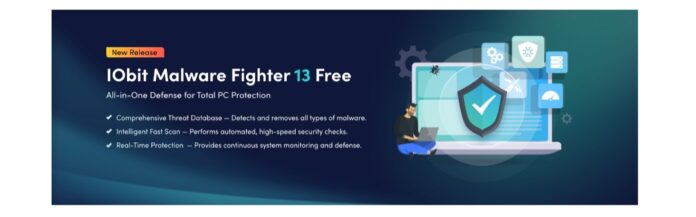
After improving my own habits, I wanted additional protection in case I missed something. While comparing different security tools, I decided to try IObit Malware Fighter. At first, I simply wanted software that could scan my computer regularly without getting in the way of my work. After using it for a while, I found that it offered more than I expected.
Besides malware detection, it includes real-time protection that monitors the system while Windows is running. It also provides ransomware protection, helping safeguard important files against one of today’s most common cyber threats.
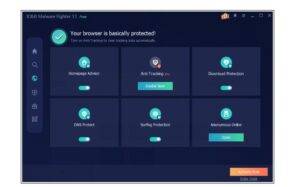
Another feature I appreciated was safe browsing protection. Since so much of my day is spent inside a web browser, knowing that potentially dangerous websites could be identified before I visited them gave me additional confidence while browsing.
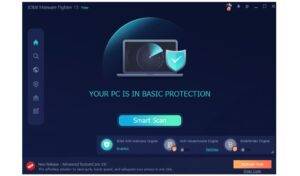
The interface was another pleasant surprise. Everything was clearly organized, so I didn’t have to search through complicated menus just to start a scan or review the security status of my PC. Rather than constantly reminding me with unnecessary notifications, the software quietly became part of my normal routine.
Security Isn’t About One Tool
One thing this experience taught me is that no security program can do everything on its own. Even with IObit Malware Fighter installed, I still keep Windows updated, avoid downloading software from unfamiliar websites, and use different passwords for important accounts.
Security works best when several good habits come together. That’s why I don’t think of security software as a replacement for common sense. Instead, I see it as another layer that supports the choices I make every day.
Passwords Deserved More Attention
Another habit I changed was the way I managed my passwords. For years, I reused the same password across several accounts simply because it was easier to remember. Looking back, that wasn’t the best decision. If one account had been compromised, the others could have been at risk as well.
Now I use a different password for every important account and enable two-factor authentication whenever it’s available. It only adds a few extra seconds when signing in, but it’s a small inconvenience compared to the problems it can help prevent.
Why I Still Use Free Antimalware
I’ve heard people say that free security software isn’t worth installing, but my experience has been different. Windows already includes useful built-in protection, and I think that’s a good starting point. However, I prefer adding a reliable free antimalware solution alongside it for extra peace of mind.
I don’t expect one program to stop every possible threat. Cybersecurity doesn’t work that way. New threats appear all the time, and no single application can guarantee complete protection.
That’s why I rely on a combination of good habits and dependable security software. Regular scans, updated software, careful browsing, and a little common sense all work together to reduce unnecessary risks.
Pros and Cons of IObit Malware Fighter
Pros
● Easy to install and simple to navigate.
● Real-time protection runs quietly in the background.
● Detects malware, spyware, and other common threats.
● Includes ransomware protection for important files.
● Safe Browsing helps reduce exposure to malicious websites.
● The free version offers useful security features for everyday protection.
Cons
● Some advanced features require the paid version.
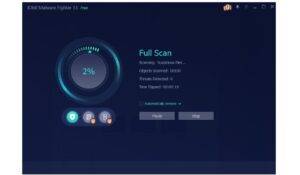
● Full system scans can take longer on older computers.
What Changed the Most
The biggest difference isn’t that my computer suddenly became immune to online threats. The real change is how I think about security. I no longer wait for warning signs before taking action. Instead, I try to prevent problems before they have the chance to become serious. That shift in mindset has made me much more confident whenever I use my PC.
Final Thoughts
Looking back, that suspicious email turned out to be a valuable reminder. It encouraged me to pay closer attention to my online habits instead of assuming everything would always be fine.
Today, I keep Windows updated, think twice before downloading unfamiliar software, and use IObit Malware Fighter as an additional layer of protection. Features like real-time protection, malware scanning, ransomware protection, and Safe Browsing fit naturally into my everyday routine without making my computer harder to use.
Combined with a dependable free anti malware solution and a few consistent security habits, these small changes have helped me feel far more confident about the security of my Windows PC.